Now for organic search engine optimization, we are going to cover Meta Tag Authoring. For Meta Tag Authoring, you’re going to have 3 major sections – your title, your keyword, and your description. Now, you are going to want to spend time writing each and you will want to keep them very concise and focused on the theme of the actual page itself. Now when we’re looking at the title, I am going to back to the Search Engine Optimization example so, for title, I am going to use the keyword “Search Engine Optimization.”
Everybody has their own style of SEO, but I prefer to use 3 to 5 keywords per page assignment. So, when I’m going to assign words that have to do search engine optimization, I am going to use the keyword SEO, all lower case, and I am actually going to use SEO with spaces in between in it just in case somebody types a period (.) or spaces, and I am going to assign the keyword search engine optimization. Now I’m writing my keywords, I’m keeping everything lower case because a lot of people most commonly type in words on the search engine in lower case and the search engine actually reflects how somebody is searching to the words it’s actually going to match-up with, in a keyword base. So, you wanna make sure keep your characters in all lower case.
You want there to be a logical pattern between your title, your keywords, and your description. So, you are going to actually assign a description which is going to be the description that the search engine is going to list below your website, most likely, unless it actually pulls content from your page, right below the listing of the website itself. So you’ll want to write something that has keywords in it and say, “Search Engine Optimization, commonly known as SEO, allows you to list on the search engines”. Now what we did here with the description is we hit upon a few specific keywords, so that we’re not placing too many keywords in the Meta tags, but you can see the actual logical pattern going from your title into your keywords and then from keywords into description. As you can see, the word SEO appearing in your keyword assignment reflects down to SEO in your description. Then you have the keyword, Search Engine Optimization here in your description, linking to the keyword with-in your Meta tag. You can see there is an actual logical pattern going from your title, your keywords, and then into your description. If you want to actually assign numbers to it or letters to help you organize it, you can say (1) is SEO (2) search engine optimization. Play with it however you like. Like I said, everybody has their own SEO techniques.
In order to have an effective search engine marketing campaign, we highly recommend you install an analytics software. A great free tool available on the web is called Google Analytics. You can find Google Analytics at www.google.com/analytics. Here you will put in your information, including email address, your website address (your URL) and then it will actually give you the code with directions as to how to install the analytics code. Once you have installed the analytics code, it is important that you go into “edit settings” and establish your Google goal points. This may also be analytics settings. You will want to set your points as G1, G2, G3, G4 and indentify different goal areas. If you have more goal points than 4 on your website, you can actually install a second Google Analytics code as well as the first one and have 2 Google analytics profiles, allowing you 8 specific goal points.
Now some of the key variables that you’re going to see on your Google analytics accounts are going to be “visitors”, which is the number of people that came to your website, you’re going to have, pages per visit – which reflects how many pages somebody had looked at on your website itself. You are also going to have bounce rate, which determines how many people showed up at your web site and left on the actual front page or only looked at one particular page on the site itself. You are also going to have the percent of new visitors actually coming to your website, and you’re also going to have “average time on site”, which is amount of time people are spending on your site in particular. You can even see down to a page where people are spending time on your site.
Google analytics is a very deep program and there is a lot of depth as to how to actually look at the information about your website. You’ll also be able to see the different traffic sources driving visitors to your website which could be Google organic, Google CPC, Yahoo organic, Yahoo CPC, or your blog for example, a Craigslist posting, etc. There are many different areas that can draw in traffic sources to your website that Google analytics will actually be able to show you. The first step, once again, is to go to this website here (www.google.com/analytics) and follow the directions to install Google analytics. So you can see how people behave and interact on your website itself.
The Art and Science of Holiday Recycling
The Christmas holiday is one of the most difficult times of the year to stay 'green,' but rocket launching our Christmas tree was a great way to recycle our trash destined tree. 32 large rocket engines and some careful calculations ensured fun for the whole family.
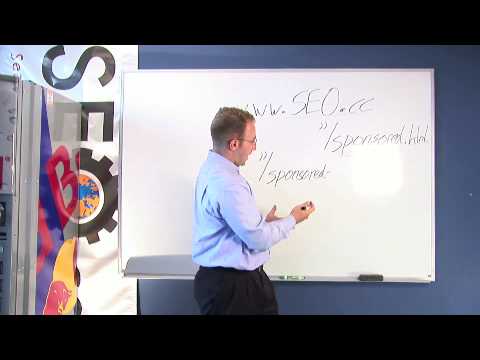
URL Optimization - This is a part of Organic Search engine Optimization. I am going to show you how to assign a name to the file of an individual page within your website.
Now I am going to use our website www.seo.cc as our example and what I am actually going to talking about is a page specific to Sponsored Search Marketing. For example if my URL is www.seo.cc and the name of my page is currently sponsored.html and this page is actually speaking about Sponsored Search Marketing. I am going to want to assign a more descriptive name to the page itself. So, once again I am going to take the www.seo.cc, and place it right here and then we are going to place a forward slash, sponsored-search-marketing and once again we are going to hyphen this out so that the search engine reads it as spaces and can actually read what this page is about before actually going to the page.
So what your page now is going to be, instead of sponserd.html you're going to direct it to sponsored-search-marketing.html which is more descriptive to the engines and the users themselves and you're also going to want to place what's called a 304 permanent redirect from sponsored.html and instruct the engines to bring the users to your new URL extension, sponsored-search-marketing, where you'll assign keywords specific to the Sponsored Search Marketing category itself. Making this website totally relevant now to Sponsored Search Marketing and you'll also see that the search engines will actually bold the page once it shows up in the top.


 Video